

Angular CLI
One of the easiest ways to start a new Angular application is to use Angular’s command-line interface (CLI).
To work with the command line we need to install it from the NPM(Node Package Manager):
npm install -g angular-cli
A new global command ng will be available in our system.
To verify whether your installation completed successfully, run:
ng version
If you see an output like bellow everything is OK:
angular-cli: 1.0.0-beta.21 node: 6.9.1 os: win32 x64
Let's make our new App:
ng new hello-app
This creates a new directory with all files you need to get started:
hello-app ├── README.md ├── angular-cli.json ├── e2e │ ├── app.e2e-spec.ts │ ├── app.po.ts │ └── tsconfig.json ├── karma.conf.js ├── package.json ├── protractor.conf.js ├── src │ ├── app │ │ ├── app.component.css │ │ ├── app.component.html │ │ ├── app.component.spec.ts │ │ ├── app.component.ts │ │ ├── app.module.ts │ │ └── index.ts │ ├── assets │ ├── environments │ │ ├── environment.prod.ts │ │ └── environment.ts │ ├── favicon.ico │ ├── index.html │ ├── main.ts │ ├── polyfills.ts │ ├── styles.css │ ├── test.ts │ ├── tsconfig.json │ └── typings.d.ts └── tslint.json
You can now navigate to the new directory:
cd hello-app
and start the Angular CLI development server:
ng serve
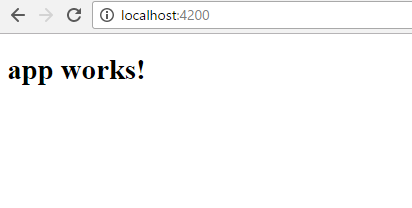
You should see you app working :
Source on

Wanna know more details, check : Start your Angular WebApp